

Automatic Lead Creation
WhatsApp inquiries create new leads or update existing contacts in Salesforce – no missed opportunities, no duplicates.
Send, receive, and track WhatsApp messages in Salesforce Sales Cloud. Native AppExchange app, set up in about an hour, no coding, GDPR-ready.
Book a Demo
One app, one platform – WhatsApp conversations fully native.
There are several ways to bring WhatsApp into Salesforce. Some teams opt for custom-built integrations, which can be tailored to specific processes but require ongoing development and maintenance.
Others use third-party platforms, which provide ready-made messaging interfaces but exist outside Salesforce, forcing teams to switch platforms and manage data in multiple places.
While these options can work, they often introduce complexity, make reporting less reliable, and create potential gaps in compliance for consent tracking and messaging rules.


ConvertHQ overcomes these challenges with a fully native WhatsApp integration for Salesforce. As an AppExchange-certified app, it is easy to install and meets Salesforce security standards.
A ready-to-use WhatsApp number and built-in compliance allow teams to start messaging immediately while staying fully aligned with GDPR and other regulations.
This unified workflow enables your team to focus on engaging customers rather than managing tools, making communication faster, smoother, and fully compliant.
From the first WhatsApp message to closed deals – everything stays in one place.
WhatsApp inquiries create new leads or update existing contacts in Salesforce – no missed opportunities, no duplicates.
Respond to prospects directly from Salesforce without switching apps. All replies stay synced with WhatsApp in real time.
Every chat is documented in Salesforce. Reps always have context at hand.

ConvertHQ provides a ready-to-use WhatsApp number – no setup hassle.
If a lead stops replying, ConvertHQ enables automated WhatsApp follow-ups within the 24-hour window to boost conversion chances.
Built on Salesforce and AppExchange-certified, ConvertHQ ensures your WhatsApp lead generation runs fully compliant and secure.
Boost your conversion rate using WhatsApp on your website.
Set up everything directly in Salesforce – no coding, no third-party tools.
Chat securely with fully GDPR-compliant WhatsApp messaging.
Fully integrated WhatsApp messaging for Salesforce.
Define your chat templates to guide replies or automate messaging. Templates can capture user information, like name, company or email, and sync it directly to Salesforce. This ensures a flawless lead intake and perfectly timed notifications.
Add a WhatsApp chat button to your website using our simple JavaScript snippet. Installation is fast and requires minimal technical effort, enabling instant connection via the WhatsApp API Salesforce integration.
When a visitor starts a chat, ConvertHQ automatically creates a new lead or updates an existing contact in Salesforce based on the provided phone number. Data captured via templates is mapped to Salesforce fields for a complete profile.
Within Salesforce, each lead or contact has a live chat view. Your team can reply manually or use automated templates, or combine both approaches to suit the workflow. This step leverages the WhatsApp API Salesforce integration for real-time communication.
All WhatsApp messages are logged on the corresponding Salesforce entry, providing a full interaction history. Every conversation is traceable, improving reporting, follow-ups, and overall efficiency.
WhatsApp Salesforce IntegrationConvertHQ has taken our lead generation to a new level. Instead of relying only on traditional forms, we now additionally use WhatsApp. The ready-to-use WhatsApp chat messages with Salesforce integration are indispensable support. We're getting significantly more website conversions and qualified leads directly in Salesforce - exactly the solution we were looking for.
 Andreas Eisemann
CEO | Contentbird
Andreas Eisemann
CEO | Contentbird
Connect sales, marketing, and support on one channel – all managed in the Salesforce Sales Cloud.
Capture leads directly from WhatsApp chats and sync them instantly to Salesforce. No manual data entry - every new inquiry becomes a lead.
Handle support inquiries on WhatsApp directly in Sales Cloud. Track interactions and resolve issues without external dashboards.
Sales reps can pick up ongoing WhatsApp chats within the 24-hour window directly in Salesforce - ensuring no lead goes cold and all context is tracked.
Send timely, personalized WhatsApp messages for renewals, offers, and updates - all managed within Salesforce records.
All WhatsApp conversations are logged in Salesforce. Reps can plan next steps, schedule reminders, and follow up efficiently - without switching tools or losing context.
ConvertHQ triggers automatic WhatsApp follow-ups if a lead doesn’t convert, boosting the chances of closing deals.
There are multiple integration paths to connect WhatsApp with Salesforce, each suited to different technical needs and workflows. Below, we break down all options and how they compare to ConvertHQ, so you can choose the solution that fits your team best.

Leverage Service Cloud’s out-of-the-box WhatsApp integration to handle conversations directly in the Service Console. Respond to messages, voice notes, and quick-reply questions, transfer chats when needed, and track sessions automatically.
See read receipts, typing indicators, and automated notifications to stay on top of every interaction. Set up multiple enhanced WhatsApp channels and manage different numbers seamlessly from within Salesforce.
Use Marketing Cloud’s out-of-the-box WhatsApp integration to send template and session messages directly from Journey Builder. Include interactive buttons and quick replies to engage your customers.
Set up multiple WhatsApp channels, each linked to a different number, and manage them seamlessly within Marketing Cloud. Send automated notifications and personalized messages – all without extra software.
Key Benefit: Keep your chats inside Service- and Marketing Cloud without switching platforms, reducing manual work and improving compliance.

Install a vetted AppExchange solution like ConvertHQ to handle WhatsApp messaging directly inside Salesforce.
Our app works seamlessly with Sales Cloud, while other Exchange apps may support Service Cloud or Marketing Cloud. Respond to messages, capture leads, and log interactions automatically – all within Salesforce.
You don’t need separate SaaS platforms, reducing complexity and keeping all customer data and messaging in one secure place.
Key Benefit: Simplify operations by managing WhatsApp messaging and automation entirely within a secure, Salesforce-vetted app.
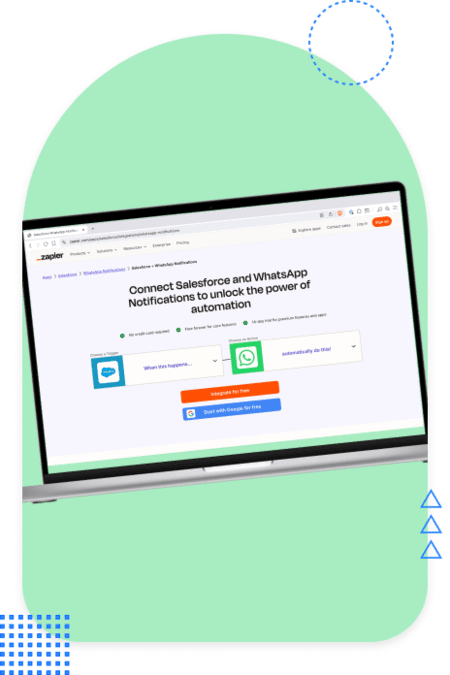
Connect WhatsApp through a third-party SaaS platform to access broader software beyond Salesforce.
These platforms often provide a full suite of messaging, CRM, or customer engagement tools, with WhatsApp integration as one component of their core offering.
Each provider has its own interface, workflow, and limitations, and you usually operate through their dashboard while syncing relevant data back to Salesforce.
Key Benefit: Leverage a wider range of tools and use cases while connecting WhatsApp to Salesforce, though workflows and integration behavior vary by provider.

Build your own WhatsApp integration using the WhatsApp Business API.
Design custom workflows, embed messaging anywhere in Salesforce, and control exactly how leads, messages, and customer data flow.
This approach gives you full flexibility to tailor the integration to your team’s needs, from message handling to automation.
Key Benefit: Gain complete control over WhatsApp messaging and Salesforce workflows, ideal for teams with developer resources who want a fully customized solution.
Get a clear overview of how our Salesforce WhatsApp integration works in one concise PDF.

Question not answered? Send us a message, we’re happy to help.
ConvertHQ installs directly from Salesforce AppExchange. With minimal setup and quick support, you can start using WhatsApp in your Salesforce environment within minutes.
Yes. As part of the app experience, ConvertHQ provides Invocable Actions you can use in Salesforce Flows and Apex to implement your own use cases.
Up to you – You can bring your own number or ConvertHQ can provide a WhatsApp number for you.
Not with ConvertHQ. Traditional Twilio or REST API integrations require heavy coding, while ConvertHQ is plug-and-play.
Yes. ConvertHQ lets you manage all WhatsApp conversations inside Salesforce. Incoming messages create or update leads and contacts, and reps can reply instantly without leaving the platform.
Yes. You can adapt predefined templates to your business needs, ensuring compliant yet personalized customer interactions. ConvertHQ also offers proven starter templates to speed up setup and guarantee best practices.
If a lead stops responding on WhatsApp, ConvertHQ enables automated follow-ups within 24 hours of the last interaction to re-engage and increase the chance of conversion.
Pricing depends on the approach. Custom API or third-party dashboards often involve high costs. ConvertHQ uses a flexible pay-as-you-grow model:
ConvertHQ supports GDPR-compliant lead generation via WhatsApp. Only essential information (like phone numbers) is processed under WhatsApp’s terms. Data is protected by Standard Contractual Clauses (SCCs) and stored in Meta’s EU data centers, ensuring compliance with strict EU regulations.
Salesforce offers native WhatsApp integration via Marketing Cloud Engagement’s Chat Messaging Setup App, allowing messaging for limited use-cases directly within Marketing Cloud. ConvertHQ, meanwhile, runs only on Sales Cloud and does not support Marketing Cloud workflows.
Yes – Salesforce supports WhatsApp through the Digital Engagement add-on and unified messaging features, allowing agents to handle WhatsApp chats inside Service Cloud for limited use-cases.
ConvertHQ requires Sales Cloud. It works with Sales Cloud or combined Sales and Service Cloud implementations, but it isn’t supported in Service Cloud-only orgs.
Yes. ConvertHQ is built on the WhatsApp Business API, but removes the complexity of managing it directly.
Yes, it’s possible with the REST API or Twilio, but it requires ongoing developer resources and a certified Meta Business Account.
ConvertHQ eliminates this overhead with a native solution.
Twilio provides raw access to the WhatsApp Business API, requiring coding and maintenance. ConvertHQ is fully native, AppExchange-certified, and designed for non-technical teams.
Trailhead covers messaging and API integrations in general. ConvertHQ provides its own documentation and onboarding, shortening setup time.
ConvertHQ is developed by doScale, a certified Salesforce Partner and experienced Salesforce consultancy, together with ConvertPilot, Salesforce Marketing Cloud consultants. The team focuses on turning challenges into opportunities by providing tailored strategies and premium Salesforce services.
Typical scenarios include:
You can install ConvertHQ directly from AppExchange or book a demo to see it in action in your Salesforce environment.
Book a demo, ask about pricing or get help with your setup. We’ll get back to you shortly.